Training Management System Buyer's Guide
A practical, buyer-centric evaluation framework for training providers, colleges, and enterprise L&D directors looking to compare, select, and procure an enterprise Training Management System.
- 1. What Is a Training Management System?
- 2. When Does an Organization Need a TMS?
- 3. Defining Your Institutional Requirements
- 4. Key Capabilities to Evaluate
- 5. Scalability & Multi-Campus Architecture
- 6. Security, RBAC & Data Isolation
- 7. Implementation, Migration & Support SLAs
- 8. Common Buying Mistakes to Avoid
- 9. 10-Point Vendor Evaluation Checklist
- 10. Summary & Decision Framework
- • Key Takeaways
Need a custom training operations solution?
Get Custom Pricing- 1. What Is a Training Management System?
- 2. When Does an Organization Need a TMS?
- 3. Defining Your Institutional Requirements
- 4. Key Capabilities to Evaluate
- 5. Scalability & Multi-Campus Architecture
- 6. Security, RBAC & Data Isolation
- 7. Implementation, Migration & Support SLAs
- 8. Common Buying Mistakes to Avoid
- 9. 10-Point Vendor Evaluation Checklist
- 10. Summary & Decision Framework
1. What Is a Training Management System?
A Training Management System (TMS) is an enterprise operations solution designed specifically for organizations that deliver instructor-led, blended, vocational, or corporate training. Unlike generic CRM software or standalone LMS tools, a TMS manages the complete operational workflow—from course curriculum design and counselor inquiry management to batch timetable scheduling, attendance thresholds, exam rubrics, serialized QR certifications, and double-entry financial accounting.
2. When Does an Organization Need a TMS?
Organizations typically reach a critical inflection point where spreadsheet processes break down. Common indicators that your organization requires a dedicated TMS include:
- Scheduling Complexity: Coordinating multiple instructors across concurrent batches, rooms, and hybrid video links leads to recurring scheduling conflicts.
- Revenue Leakage: Student installment fees are tracked on separate spreadsheets without automated payment reminders or invoice reconciliation.
- Compliance & Accreditation Strain: Manual attendance logs fail regulatory audits or cause disputes regarding minimum course completion criteria.
- Fragmented Tool Stack: Operating 5–6 disconnected software tools for CRM, email, accounting, scheduling, and certificate design.
3. Defining Your Institutional Requirements
Before scheduling software demos, map requirements across your core operational departments:
Admissions & Marketing
Inbound ad lead ingestion, counselor task allocations, call logging, and 1-click batch enrollment.
Academic & Scheduling Operations
Batch timetables, classroom seating capacities, trainer allocation, and session lecture note tracking.
Instructors & Examiners
Daily session attendance registers, theory/practical grading rubrics, and attestation sign-offs.
Finance & Executive Leadership
Category fee heads, installment milestone billing, payment gateways, GST ledgers, and multi-branch rollups.
4. Key Capabilities to Evaluate
Ensure the shortlisted software vendor provides deep functionality across these 8 core domains:
- Integrated Admissions CRM: Native counselor pipelines and activity tracking without third-party connector fees.
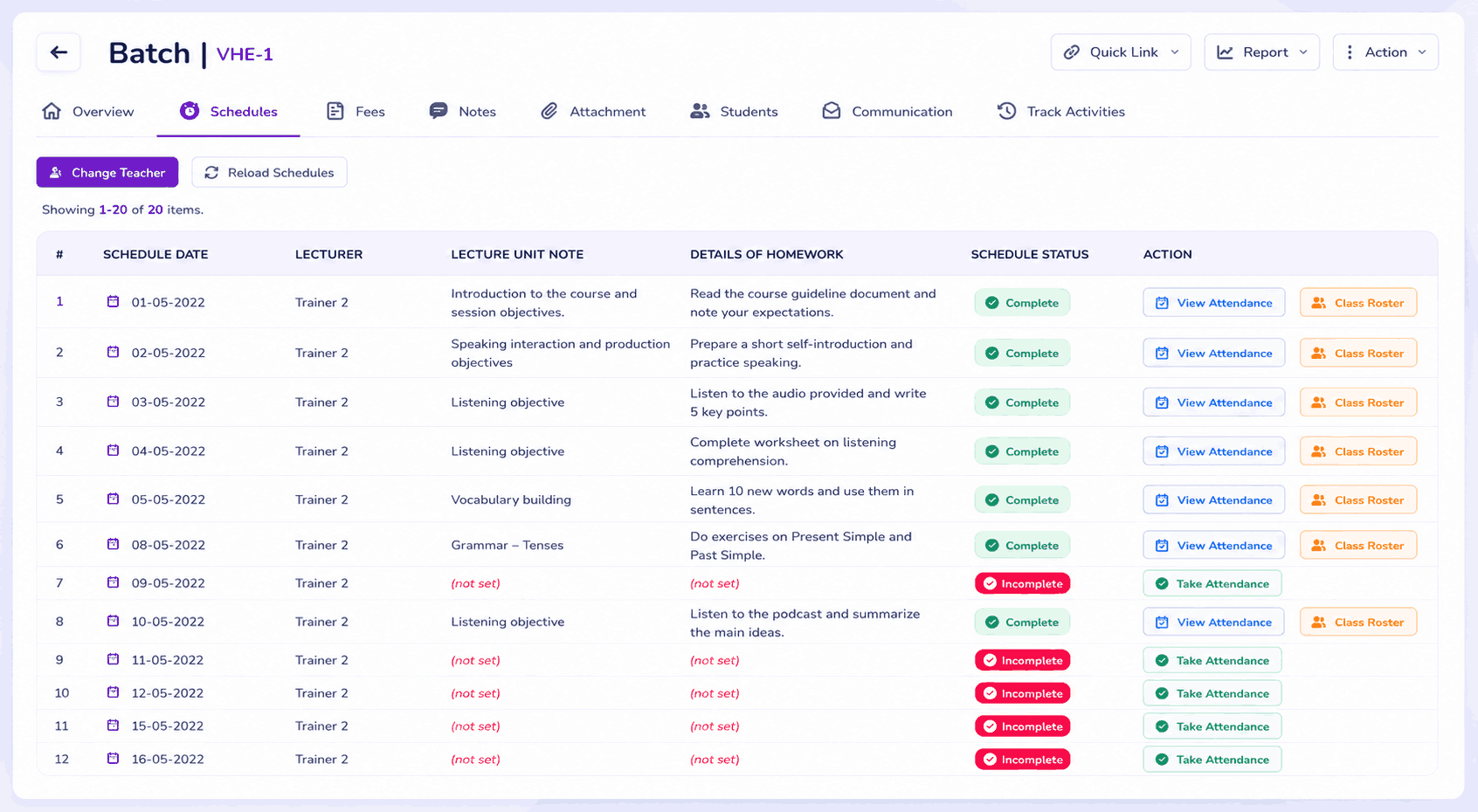
- Visual Batch Timetable Scheduler: Drag-and-drop calendar scheduling with conflict alerts and holiday adjustments.
- Attendance Gating Engine: Automated session attendance registers with percentage threshold enforcement.
- Exam & Assessment Rubrics: Theory, practical, and viva scoring components with automated transcript generation.
- Tamper-Proof QR Certification: Serialized digital certificate issuance with public online verification.
- Native WhatsApp Agent Desk: Shared multi-counselor WhatsApp inbox for admissions and automated payment due reminders.
- Foolproof Financial Ledgers: Full double-entry accounting with chart of accounts, bank reconciliation, and cash/bank vouchers.
- Report Plus Matrix Engine: Multi-dimensional pivot reporting across leads, courses, trainers, and branch centers.
5. Scalability & Multi-Campus Architecture
For multi-center institutes and franchise networks, evaluate whether the system supports true multi-entity tenant isolation. Branch staff should only have access to their localized learners and revenue, while executive leadership receives real-time group-wide consolidated dashboards and royalty calculations.
6. Security, RBAC & Data Isolation
Data privacy and regulatory compliance require granular Role-Based Access Control (RBAC). Verify that the system allows custom permission roles (Counselor, Instructor, Registrar, Accountant, Branch Director, Super Admin) with immutable audit logs recording every critical data change.
7. Implementation, Migration & Support SLAs
Software success depends heavily on onboarding quality. Request clear commitments on:
- Data Migration Support: Cleaning and migrating historical student records, active course curricula, and open fee balances.
- Structured Staff Workshops: Role-based training sessions for counselors, instructors, and accountants.
- Dedicated Account Management: Guaranteed response times and technical support SLAs tailored to your operational hours.
8. Common Buying Mistakes to Avoid
Avoid these frequent procurement pitfalls when selecting a training platform:
Buying an LMS that only streams video courses, only to realize it lacks batch timetable scheduling, classroom capacity rules, fee installment tracking, and accounting ledgers.
Purchasing standalone CRM, billing, and scheduling software that require fragile, expensive third-party sync connectors.
Selecting single-center software that cannot support future branch expansion, franchise royalties, or centralized group reporting.
9. 10-Point Vendor Evaluation Checklist
Use this practical 10-point checklist during software demonstrations:
| # | Capability / Evaluation Requirement | Verification Status |
|---|---|---|
| 1 | Native Admissions CRM with counselor task pipelines | Built-in natively in VheTM |
| 2 | Recurring batch timetable scheduling with room conflict detection | Built-in natively in VheTM |
| 3 | Session attendance tracking with automated % threshold gating | Built-in natively in VheTM |
| 4 | Digital assessment rubrics (theory, practical, subjective) | Built-in natively in VheTM |
| 5 | Serialized digital certificates with public scannable QR verification | Built-in natively in VheTM |
| 6 | Full double-entry accounting with installment fee heads & vouchers | Built-in natively in VheTM |
| 7 | Native WhatsApp multi-agent inbox & automated dues alerts | Built-in natively in VheTM |
| 8 | Multi-entity campus isolation with consolidated group analytics | Built-in natively in VheTM |
| 9 | Dynamic multi-dimensional matrix reporting (Report Plus) | Built-in natively in VheTM |
| 10 | Dedicated historical data migration & staff onboarding support | Available on all custom plans |
10. Summary & Decision Framework
Selecting the right Training Management System transforms operational efficiency, eliminates administrative chaos, and positions your institution for sustainable scale. By choosing a unified Training Operations ERP, you empower your staff, delight students, and gain total operational visibility.
Key Takeaways
- Differentiate clearly between an LMS (content playback) and a TMS (operational business ERP).
- Map requirements across admissions, academic scheduling, examination, and financial accounting.
- Insist on multi-entity branch isolation if operating across multiple campuses or franchise centers.
- Verify the availability of serialized QR certifications and attendance threshold % gating.
- Ensure transparent custom-quota pricing without hidden per-feature transaction traps.
VheTM Transparent Custom Plans
VheTM plans are configured specifically around your active learners, staff users, campuses, and required operational modules.
Explore VheTM Pricing PlansReady to Improve Your Training Operations?
Explore how VheTM helps training institutes, colleges, universities, and corporate L&D teams manage courses, learners, attendance, assessments, certifications, reporting, and communication in one unified platform.