Training Management Software Guide
A comprehensive operational guide to understanding Training Management Software (TMS)—why training institutes and enterprise L&D teams adopt it, core capability benchmarks, and practical implementation frameworks.
- 1. What Is Training Management Software?
- 2. Why Organizations Use Training Management Software
- 3. Common Training Management Challenges
- 4. Core Capabilities to Look For
- 5. TMS vs. Manual Spreadsheet Processes
- 6. Training Management Software vs. LMS
- 7. How to Evaluate a Training Management Platform
- 8. Key Questions to Ask Vendors
- 9. Implementation Considerations & Best Practices
- 10. Summary & Next Steps
- • Key Takeaways
Need a custom training operations solution?
Get Custom Pricing- 1. What Is Training Management Software?
- 2. Why Organizations Use Training Management Software
- 3. Common Training Management Challenges
- 4. Core Capabilities to Look For
- 5. TMS vs. Manual Spreadsheet Processes
- 6. Training Management Software vs. LMS
- 7. How to Evaluate a Training Management Platform
- 8. Key Questions to Ask Vendors
- 9. Implementation Considerations & Best Practices
- 10. Summary & Next Steps
1. What Is Training Management Software?
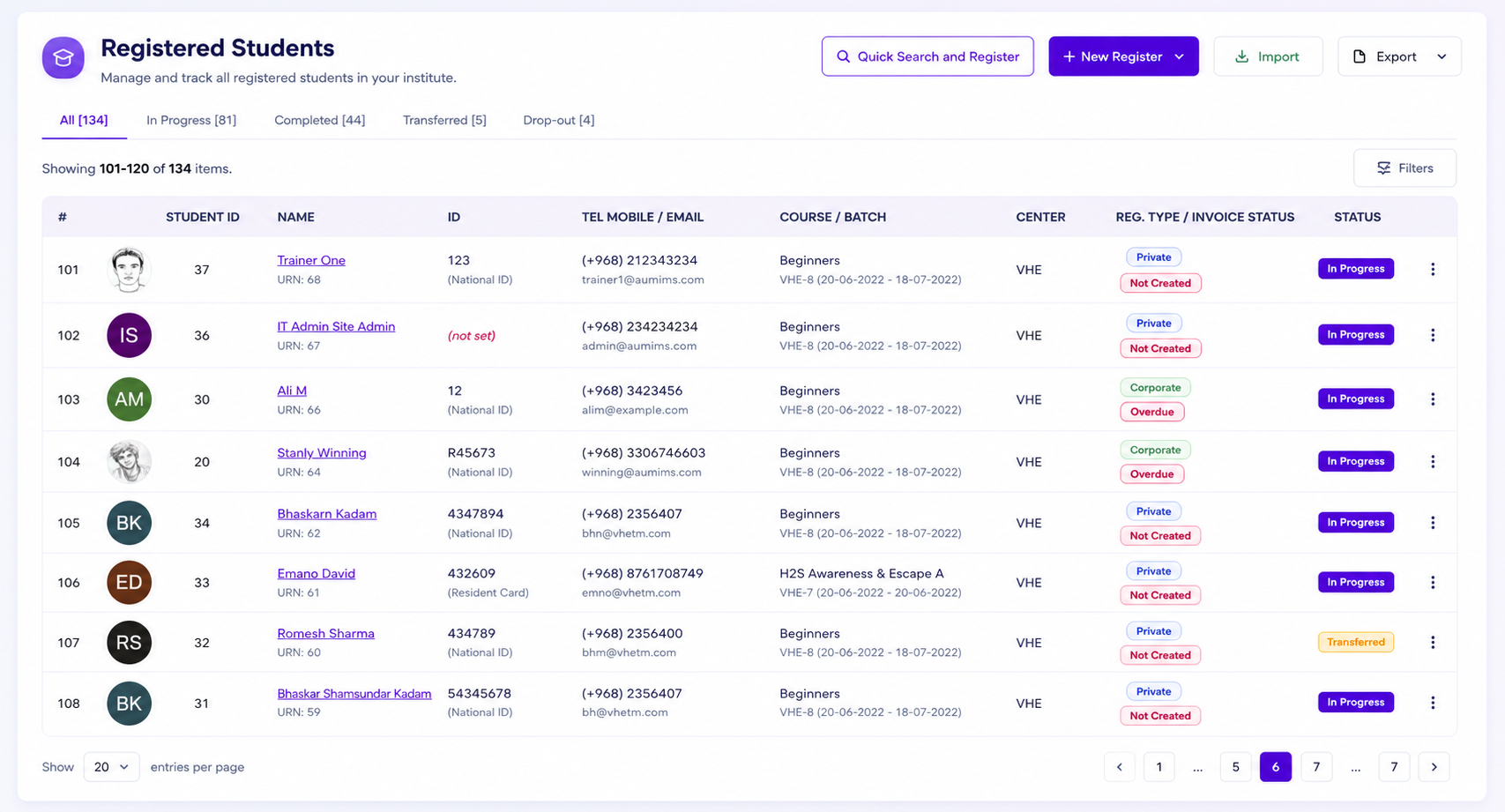
A Training Management System (TMS) is an enterprise operations platform engineered to manage the logistical, administrative, and financial lifecycle of instructor-led, blended, and skills-based training delivery. Unlike digital content libraries that only host e-learning videos, a TMS serves as the core operational ERP that coordinates multi-session batch timetables, instructor assignments, physical room capacities, student attendance compliance, fee collections, and accredited certification workflows.
For training academies, commercial coaching institutes, corporate L&D teams, and vocational polytechnics, a TMS establishes a unified single source of operational truth across academic, administrative, and financial departments.
2. Why Organizations Use Training Management Software
As training institutions scale beyond a handful of courses, managing schedules, trainees, instructors, and fee collections across spreadsheets inevitably introduces operational friction. Organizations adopt a TMS to achieve four vital objectives:
- Operational Centralization: Eliminating scattered spreadsheets and unifying student profiles, course syllabi, attendance records, and invoices in one secure database.
- Error-Free Scheduling: Preventing trainer double-booking, classroom over-capacity, and timetable clashes across concurrent morning, evening, and weekend batches.
- Automated Regulatory Compliance: Enforcing strict session attendance percentage quotas required by government vocational bodies and corporate sponsors before exam eligibility.
- Revenue & Financial Integrity: Seamlessly linking student batch enrollments to milestone fee installment schedules and double-entry accounting ledgers.
3. Common Training Management Challenges
Without a dedicated Training Operations ERP, organizations frequently face recurring bottlenecks that impede growth and degrade student experience:
Spreadsheet Desynchronization
Discrepancies between counselor admission logs, trainer attendance sheets, and finance fee registers lead to lost revenue and administrative confusion.
Manual Certificate Bottlenecks
Paper-based physical certificate generation, manual sign-offs, and verification delays frustrate graduating students and corporate sponsors.
Attendance Record Disputes
Paper sign-in sheets fail audit inspections and lead to disputes over minimum qualification criteria for final examinations.
Multi-Branch Governance Blindspots
Head office leadership lacks real-time visibility into branch-level trainer workloads, revenue collections, and active student enrollment health.
4. Core Capabilities to Look For
When evaluating a modern Training Management System, ensure the platform provides these essential integrated operational engines:
- Multi-Session Batch Timetable Scheduler: Visual recurring timetable planners with holiday calendar integration, classroom seating limits, and trainer availability mapping.
- Learner 360° Profile Hub: Comprehensive records tracking student contact history, enrolled batches, exam attempts, payment vouchers, and digital document vaults.
- Session Attendance & Threshold Gating: Digital registers with automated attendance deficit alerts and rule-based gating that prevents unqualified exam attempts.
- Examination Rubrics & Scorecards: Multi-component theory, practical, and subjective grading rubrics with automated result computation.
- Tamper-Proof Serialized QR Certification: Multi-tier approval sign-offs (Trainer → Proctor → Registrar) and instant public scannable QR verification.
- Foolproof Financial Accounting: Category fee heads (tuition, lab, exam), installment milestones, instant printable vouchers, and GST/tax ledgers.
- Report Plus Matrix Analytics: Dynamic multi-dimensional pivot matrices comparing lead stages, trainer utilization, and center financial performance.
5. TMS vs. Manual Spreadsheet Processes
The contrast between spreadsheet-driven workflows and an integrated Training Management ERP is substantial across all key operational metrics:
| Operational Metric | Spreadsheet & Manual Process | Unified Training Operations ERP (TMS) |
|---|---|---|
| Batch Scheduling | Prone to trainer double-booking & room clashes | Automated conflict detection & holiday adjustments |
| Attendance Tracking | Paper sheets, lost logs & manual tallying | Real-time digital register with % deficit gating |
| Certificate Issuance | Weeks of manual Word/PDF edits & physical signing | Automated serialized generation with public QR codes |
| Fee Collections | Manual payment tracking & missed installments | Automated installment schedules, receipts & ledgers |
| Audit Readiness | Days of manual archive searching | Instant 1-click regulatory compliance export |
6. Training Management Software vs. LMS
A common point of confusion is differentiating between an LMS and a TMS. While both support education, they solve fundamentally different problems:
- LMS (Learning Management System): Focuses on the learner-to-content experience—hosting SCORM e-learning modules, video streaming, and automated self-paced quizzes.
- TMS (Training Management System): Focuses on the operational business engine—coordinating instructors, physical classrooms, multi-day batch timetables, admissions pipelines, student fee installments, and regulatory reporting.
Most growing institutes and training providers find that an LMS alone cannot manage their business logistics, requiring a robust TMS as their primary operational backbone.
7. How to Evaluate a Training Management Platform
Follow this 4-step evaluation framework when assessing potential training management software solutions:
Step 1: Map Your End-to-End Operational Journey
Trace student intake from initial inquiry → counselor follow-up → batch enrollment → fee payment → session delivery → assessment → certification.
Step 2: Verify Multi-Campus & Role-Based Isolation
Ensure branch staff only see their localized batches and financial registers while head office maintains consolidated visibility.
Step 3: Test Attendance Gating & QR Certificate Workflows
Verify that the system can automatically block exam access for attendance deficits and generate tamper-proof scannable certificates.
Step 4: Check Built-in Accounting & Communication
Confirm the availability of native WhatsApp notifications, student fee installment tracking, and double-entry general ledgers.
8. Key Questions to Ask Vendors
Before signing an agreement with a training software vendor, ask these critical qualifying questions:
- 1. Multi-Entity Architecture: Can the platform handle multiple independent branch campuses with isolated student databases and consolidated group rollups?
- 2. Integrated Accounting: Does the system support true double-entry ledgers, category fee heads, installment milestones, and tax/GST accounting?
- 3. Messaging Integration: Is there a native multi-agent WhatsApp desk, or does it require expensive third-party connector plugins?
- 4. Certificate Attestation: Does certificate generation support serialized numbers, customizable templates, and public QR code verification?
- 5. Data Migration & SLA: What onboarding assistance and historical student data migration services are provided during deployment?
9. Implementation Considerations & Best Practices
A successful TMS rollout requires structured change management. Key best practices include:
- Historical Data Cleansing: Standardize student records, active course codes, and pending fee balances prior to import.
- Role-Based Training: Conduct dedicated training workshops for admission counselors, instructors, batch schedulers, and finance accountants.
- Phased Rollout: Pilot the system with a select group of flagship batches before expanding to your full course catalog and branch network.
- Continuous Feedback: Review trainer utilization reports and counselor activity metrics weekly during the first 60 days post-launch.
10. Summary & Next Steps
Training Management Software is the foundational operational engine for modern training academies, corporate L&D teams, and education institutes. By replacing manual spreadsheets and disconnected tools with a unified ERP, organizations reduce administrative overhead, eliminate revenue leakage, and scale training delivery with confidence.
Key Takeaways
- Centralize course, batch, instructor, and learner workflows into a single operational database.
- Automate attendance percentage thresholds to ensure regulatory compliance and exam gating.
- Unify admissions CRM with installment fee ledgers to eliminate payment delays and manual reconciliation.
- Replace manual paper credentials with tamper-proof serialized QR certificates.
- Gain real-time operational visibility across branches, courses, and trainers with dynamic matrix analytics.
VheTM Training Operations Management ERP
VheTM brings training management, batch scheduling, learner 360 profiles, attendance gating, assessments, QR certifications, foolproof accounting, and WhatsApp messaging into one unified platform.
Explore Training Management FeaturesReady to Improve Your Training Operations?
Explore how VheTM helps training institutes, colleges, universities, and corporate L&D teams manage courses, learners, attendance, assessments, certifications, reporting, and communication in one unified platform.